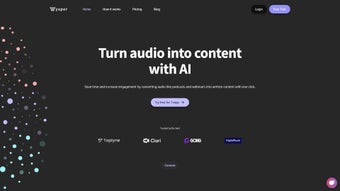

Download Wysper – AI Audio Transcription & Multi‑Channel Content Tool
Why Wysper Is the Smart Choice for Modern Content Creators
In today’s fast‑paced digital landscape, audio‑first formats such as podcasts, webinars, and live interviews dominate the conversation. Yet the real power of audio lies in its ability to be repurposed into written content that fuels SEO, social media engagement, and email marketing. That’s where Wysper steps in.
Built on a cloud‑native AI engine, Wysper transforms raw audio into clean, speaker‑separated transcripts in seconds, then automatically formats the output for a variety of distribution channels. Whether you’re a solo podcaster looking to publish show notes faster, a marketing team needing to turn webinars into blog posts, or an enterprise that must keep compliance records of internal meetings, Wysper delivers a secure, scalable, and user‑friendly solution. The platform’s emphasis on automation, multi‑channel export, and collaboration removes the tedious manual work that typically drags down productivity.
By choosing Wysper, you invest in a tool that not only saves time but also amplifies the reach of every spoken minute, turning audio assets into searchable, shareable, and revenue‑generating written material.
Comprehensive Overview of Wysper
Core Capabilities and Feature Set
- Speaker‑Separated Transcripts: Advanced voice‑recognition algorithms label each participant, producing clean, speaker‑tagged dialogue ideal for interview‑style content.
- Timestamp Integration: Automatic timestamps align with YouTube chapters, Spotify notes, and video editing timelines, ensuring seamless cross‑platform publishing.
- One‑Click Multi‑Channel Export: Export to Markdown, HTML, plain text, or directly push to WordPress, HubSpot, Contentful, and social‑media schedulers.
- Broad Audio Compatibility: Accepts MP3, WAV, AAC, OGG, FLAC, and direct YouTube URL imports, eliminating the need for pre‑conversion.
- AI‑Generated Summaries & Show Notes: Instantly creates concise episode summaries and bullet‑point show notes that boost SEO and listener discovery.
- In‑App Editing Suite: Browser‑based editor with spell‑check, find‑replace, markdown preview, and custom heading tools.
- Team Collaboration & Permissions: Role‑based access (viewer, editor, publisher) for smooth workflow across departments.
- Secure Cloud Storage: TLS 1.3 encryption in transit and AES‑256 at rest; GDPR, CCPA, and ISO 27001 compliance.
- Continuous Model Updates: AI models are refreshed automatically, delivering higher accuracy and new language support without user intervention.
- Analytics Dashboard: Real‑time metrics on word count saved, processing time, and content performance across channels.
Pros
- High‑accuracy speaker separation minimizes manual cleanup.
- One‑click export to multiple publishing platforms saves hours.
- Supports a wide range of audio formats and direct YouTube imports.
- Enterprise‑grade security meets global privacy regulations.
- Robust collaboration tools enable seamless teamwork.
- Responsive design works on desktops, tablets, and smartphones.
Cons
- Free tier limited to 10 minutes of transcription per month.
- Very large files (>2 hours) may experience slower processing.
- Custom CSS for exported HTML requires manual tweaking.
- No offline desktop client; internet connection required.
- Accuracy can dip with heavily accented speech or low‑quality recordings.
Step‑by‑Step Installation & Usage Guide
Wysper is a pure SaaS solution, which means there is no traditional software to install. All you need is a modern web browser and an internet connection. Follow these steps to get up and running in under five minutes:
- Create Your Account: Visit wysper.ai, click “Sign Up,” and choose a plan that matches your transcription volume. New users receive a 10‑minute free credit to test the service.
- Verify & Set Up Workspace: Confirm your email address, then customize your workspace by adding your company logo and selecting default export formats.
- Upload Audio or Paste a URL: Drag‑and‑drop files into the dashboard or paste a YouTube link. Wysper auto‑detects file type and begins processing immediately.
- Configure Output Settings: Choose between Markdown, HTML, or plain‑text output. Toggle options such as “Include Timestamps,” “Generate Summary,” or “Add Speaker Labels.”
- Review & Edit: The transcript appears in the built‑in editor within minutes. Use the speaker tags, correct any mis‑recognitions, add headings, or insert calls‑to‑action.
- Publish or Export: Click “Export” to download the file, or use the “Publish” button to send the content directly to integrated platforms (WordPress, Mailchimp, Buffer, etc.).
- Collaborate in Real Time: Invite teammates via email, assign roles, and watch changes sync instantly across the document.
- Monitor Analytics: The dashboard tracks total words saved, average processing time, and engagement metrics for each published piece.
Because Wysper runs entirely in the browser, it works on Windows 10/11, macOS Ventura and later, Linux distributions, Chrome OS, as well as Android 8+ and iOS 13+ devices. The responsive UI automatically adapts to screen size, allowing you to upload, edit, and publish from a laptop in the office or a smartphone on the go. For teams that rely on project‑management tools, Wysper offers Zapier integrations with Trello, Asana, and Monday.com, enabling automated transcription whenever a new audio file lands in a shared folder.
Frequently Asked Questions
Can I transcribe live streams with Wysper?
Yes. Wysper provides a live‑capture API that ingests streaming audio in real time. Once the broadcast ends, the platform processes the feed and delivers a complete transcript within minutes.
How does Wysper protect my uploaded audio files?
All uploads are encrypted with TLS 1.3 during transit and stored using AES‑256 encryption at rest. Wysper is fully compliant with GDPR, CCPA, and ISO 27001, ensuring your data remains private and secure.
Which languages does Wysper support today?
Wysper currently supports English, Spanish, French, German, and Portuguese. New language packs are added quarterly as the AI models are refined.
Can I integrate Wysper with my existing content management system?
Absolutely. Wysper offers native plugins for WordPress, HubSpot, and Contentful, plus Zapier connectors that push transcripts to any CMS supporting webhooks.
Is there a free trial, and what does it include?
New users receive a 10‑minute free transcription credit, allowing you to test accuracy, editing tools, and export options before committing to a paid plan.
What happens if I exceed my monthly transcription quota?
When you hit your quota, Wysper will pause further processing until the next billing cycle or until you manually purchase additional credits. You’ll receive an in‑app notification well before the limit is reached.
Conclusion & How to Get Started
Wysper distinguishes itself from generic transcription tools by delivering a complete end‑to‑end workflow: accurate, speaker‑labeled transcripts, AI‑generated summaries, and instant multi‑channel publishing. For anyone who relies on audio to convey ideas—podcasters, marketers, educators, or corporate teams—the platform removes the bottleneck of manual transcription and repurposing, freeing up valuable time to focus on content strategy and audience engagement. Its secure, cloud‑first architecture ensures you can work from any device, while collaboration features keep teams aligned and productive. If you’re ready to turn every minute of audio into searchable, shareable written assets, simply visit the official site, claim your free trial, and experience how effortless AI‑powered transcription can be.
Start your free trial of Wysper today and transform every spoken word into valuable content.
Overall Rating: 4.5 / 5
Wysper delivers a compelling blend of AI transcription accuracy and content‑distribution flexibility. While the subscription cost may be a barrier for hobbyists, professional podcasters and marketing teams will find the time savings and multi‑channel export capabilities well worth the investment.



.png)



